
Timesheet & Attendance Barcode Scanning on a Single Machine
The Barcode Scanning function allows you to scan your Employee ID, and then a Job Task to start your timer, and then when you scan the next task or take a break it stops the timesheet entry for the day. This makes the timesheet entry a super quick process and there is no need to use the keyboard or mouse once the App is running on the screen.
More Videos on Barcode Scanning
Introduction Video
This is an additional module on top of the Odoo Job Costing by InterAcct which allows you to create timesheets for the Job Costing and add to the attendance App to add a Clock On and Clock Off Entry.
Learn more →
Complete & Restart
Complete and Restart Task options in the Barcode Timesheets which is an Odoo module created by InterAcct Software to work along side the Odoo Job Costing Module by InterAcct.
Learn more →
Manual Adjustments and New Entry
The Barcode Timesheet Module for our InterAcct Job Costing for Odoo allows users to us a Barcode scanner to create timesheets and attendance in Odoo.
Learn more →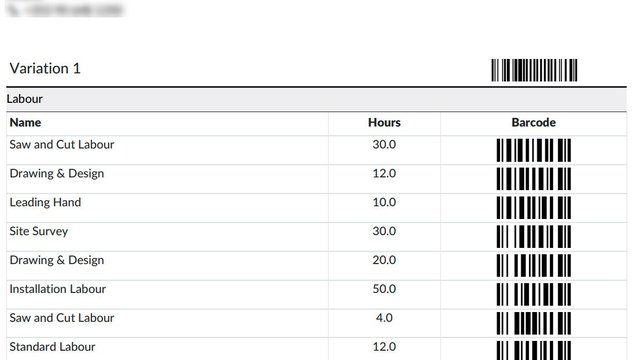
Job Card from Odoo Job Costing
For businesses in factories and messy areas it might always be practical to have a computer on hand with the requirements of a job. The Job Card will bring out from the Job to show the employees what Labour, Materials and Machine Costs are expected on the
Learn more →